I Ported Hermes's Core Engine into Obsidian — The Results Are Stunning
Why does anyone use Obsidian? Probably for the bi-directional links, the local-first storage, the graph view. You want a second brain that's truly yours.
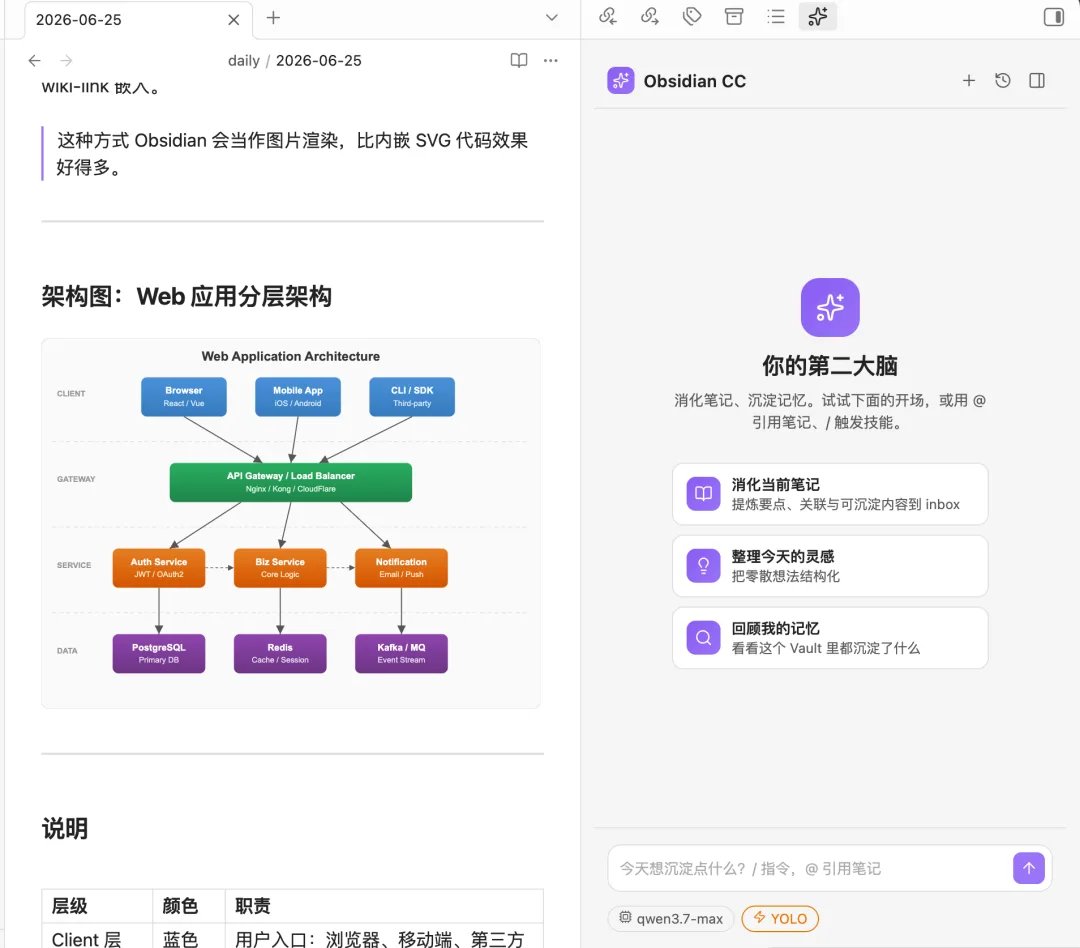
But I'd bet that 80% of the notes in your Vault have never been opened a second time after you first wrote them.
Meeting notes, web clips, reading notes, random sparks of inspiration, PDF reports — you dumped thousands of them in there. And they just sit there, consuming disk space but not cognitive bandwidth. Your so-called second brain has no digestive system.
I've tried dozens of Obsidian AI plugins. They all do roughly the same thing: pop an Agent chat panel in the sidebar, help you write files, summarize things, or chat. None of them systematically digest your knowledge, deposit it into long-term memory, and grow over time.
I've built several Agents over the years. One, a small Rust-based Hermes, got good community feedback — low token consumption, solid features, genuinely gets smarter the more you use it. After iterating from Rust to a desktop app, from memory retrieval to a skill marketplace, one idea crystallized: an Agent shouldn't just be smart. It should get smarter the more it knows about you.
So I did something radical: I took Hermes's core engine — every proven capability — and ported it wholesale into Obsidian. The product is called obsidian-cc.
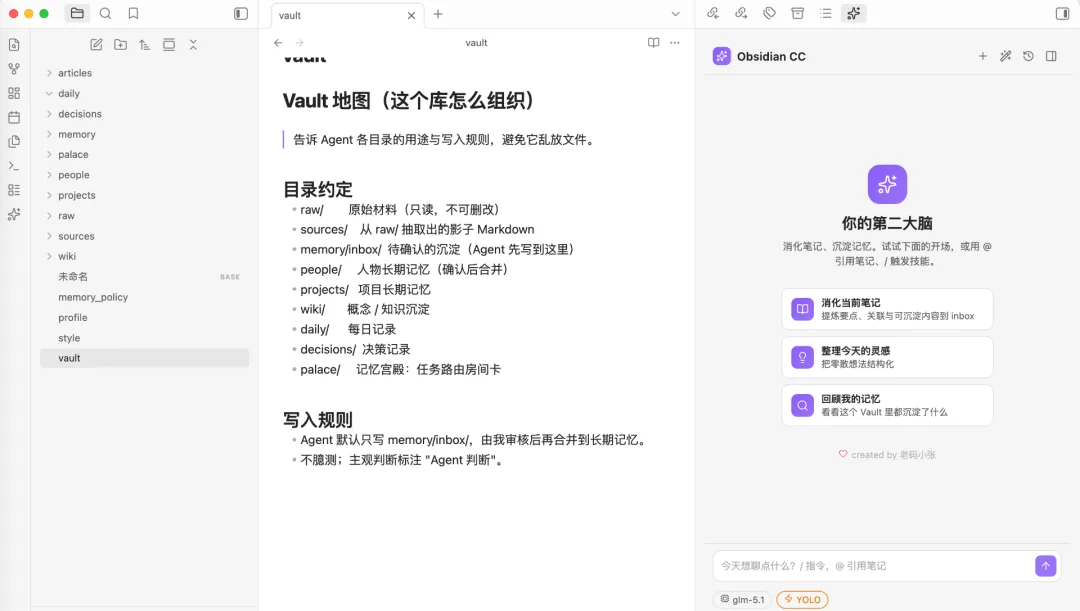
The Full Picture: Chat × File System × Skill Marketplace
Open the panel by clicking the ✨ icon in the top right. The chat interface you'll see is unlike any AI chat window you've used before — because it's designed from the ground up for Obsidian's Vault.
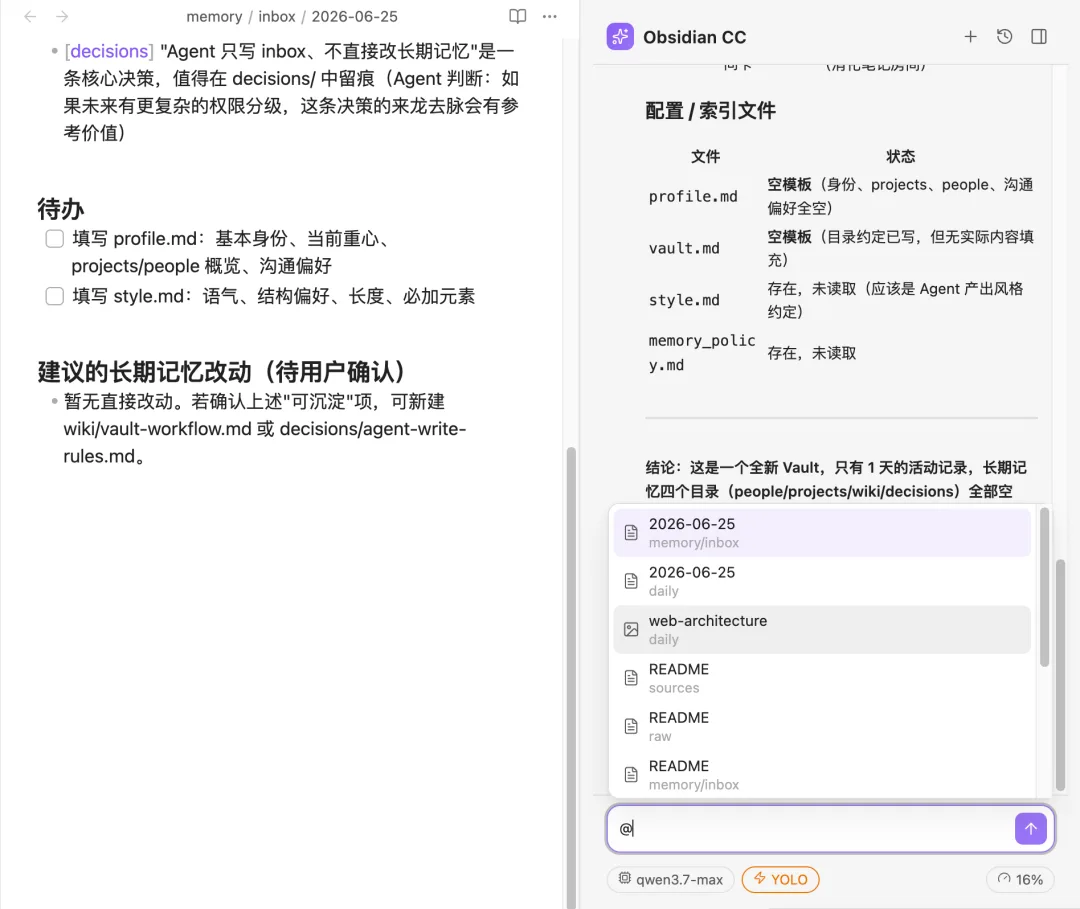
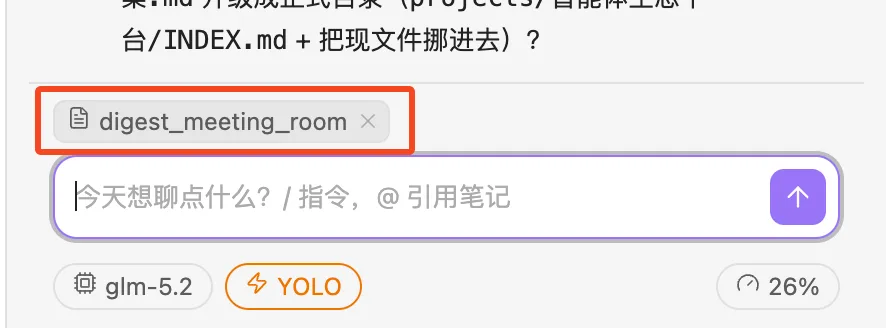
@ to Reference Any Note
Type @ in the input box and an instant fuzzy-search dialog pops up across your entire Vault. File names, paths, ranked by relevance.
Select a note and it becomes a chip attached above your message. The Agent receives the full context of that reference — no copy-pasting, no manual context-setting. If you want the Agent to analyze a note, you just reference it.
/ to Trigger Skills
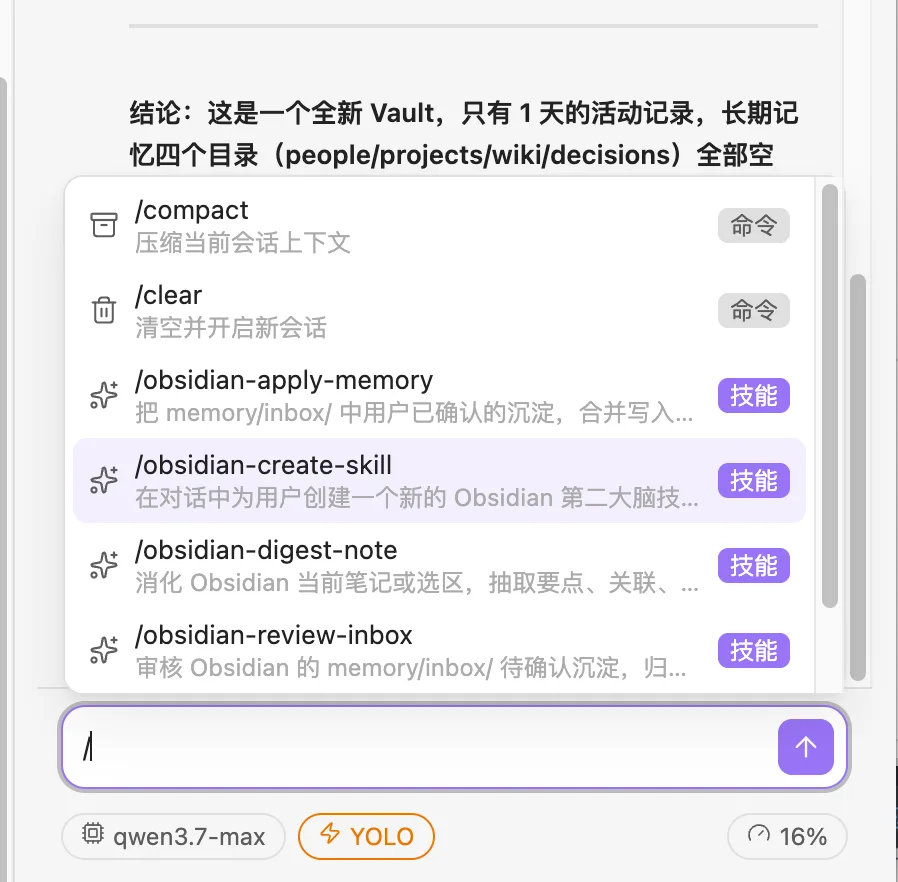
Type / and what appears isn't a standard command palette — it's a list of all available skills:
/compact                  Compress current session context     command
/clear                   Clear and start a new session        command
/obsidian-digest-note     Digest current note or selection     skill
/obsidian-review-inbox   Review inbox for pending沉积         skill
/obsidian-apply-memory   Merge confirmed items to long-term memory  skill
/obsidian-update-profile Learn from feedback to update profile skill
/obsidian-vault-doctor   Run a Vault health check            skill
/obsidian-create-skill   Create a new skill                  skill
obsidian-cc runs on a Claude Code内核 — installing and customizing skills is routine for users who want to go deeper. Regular users will find the built-in core skills sufficient; power users can create their own for specific workflows.
Drag & Drop / Paste Files → Auto-route to raw/
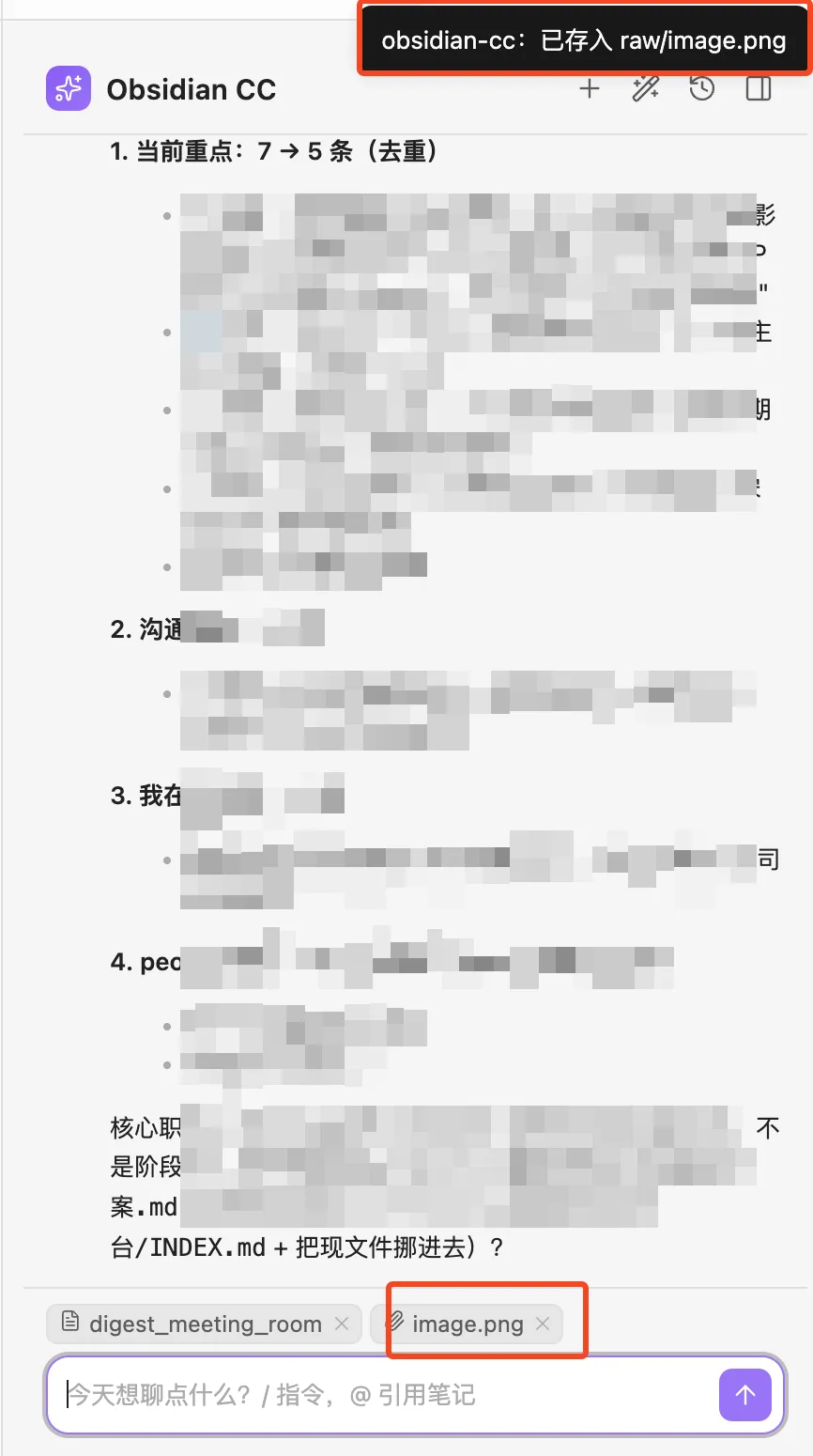
Took a screenshot and hit Ctrl+V? Most AI plugins either don't support it or base64-encode the image and burn tokens. obsidian-cc instead:
- Auto-creates a
raw/directory if it doesn't exist - Saves the image as
raw/<filename>(auto-suffixes on conflict) - Attaches the file path as a chip to your message
- Confirms: "Saved to raw/screenshot.png"
Why this design? Because images are raw evidence. Burn it into a prompt once and it's gone forever. Store it in raw/ and it can be referenced repeatedly, traced back, and digested by the Agent later. Raw material never gets lost.
Drag-and-drop works the same way — PDFs, Word docs, screenshots, any file type goes into raw/.
Streaming Render: Every Step is Visible
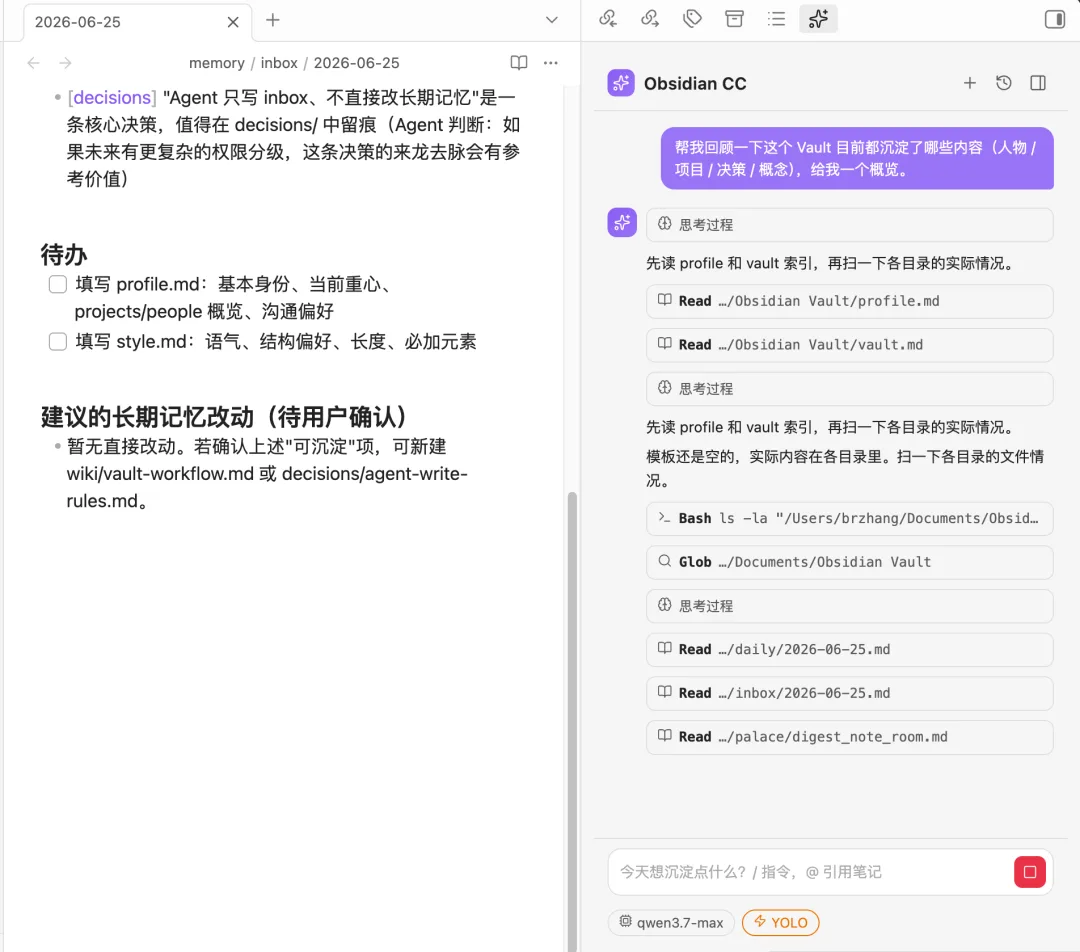
Thought blocks are collapsible. Expand them when you want to see what the Agent is thinking; collapse them when they clutter your view.
Tool call blocks are collapsible too, with result echoes. Read, Write, Edit, Glob, Grep, Bash, WebFetch, Skill — each tool has its own icon.
Text blocks render in streaming. Here's a key detail: during streaming, text is rendered as plain text — not re-rendering markdown on every token. Why? Because during streaming you often want to select and copy text. Re-rendering markdown mid-stream breaks your selection. Markdown gets rendered all at once when the block finishes. This is a坑 I encountered building Hermes desktop — it's now avoided.
Every Agent message has 👍 / 👎 / Copy buttons below it. This isn't decoration — it's the core feedback mechanism:
You click 👍 / 👎 → goes to memory/feedback/<today>.md
   ↓
/obsidian-update-profile skill digests that feedback
   ↓
Refines updates to profile.md / style.md
   ↓
You confirm each change → Agent gets smarter about you
This is what "getting smarter the more you use it" actually looks like: a data pipeline with a closed loop.
Six Core Skills: The Complete Digest-Deposit-Grow Loop
| Skill | What It Does | Solves |
|---|---|---|
obsidian-digest-note | Digest current note/selection → inbox | Notes written, nobody organizes them |
obsidian-review-inbox | Review inbox → actionable checklist | Inbox piles up unchecked |
obsidian-apply-memory | Confirmed items → long-term memory | Deposits into people/projects/wiki |
obsidian-update-profile | Learn from feedback → update profile | Agent gets smarter about you |
obsidian-vault-doctor | Vault health report | Undigested files, broken links, orphan notes |
obsidian-create-skill | Let Agent build its own skills | Meta-ability: brain grows new brains |
These six aren't isolated commands — they're a pipeline.
A Real-World Scenario
You had a meeting today and took meeting notes. Tonight:
- Open the note → Right-click → "Digest with Second Brain" (integrated into the context menu, no typing needed).
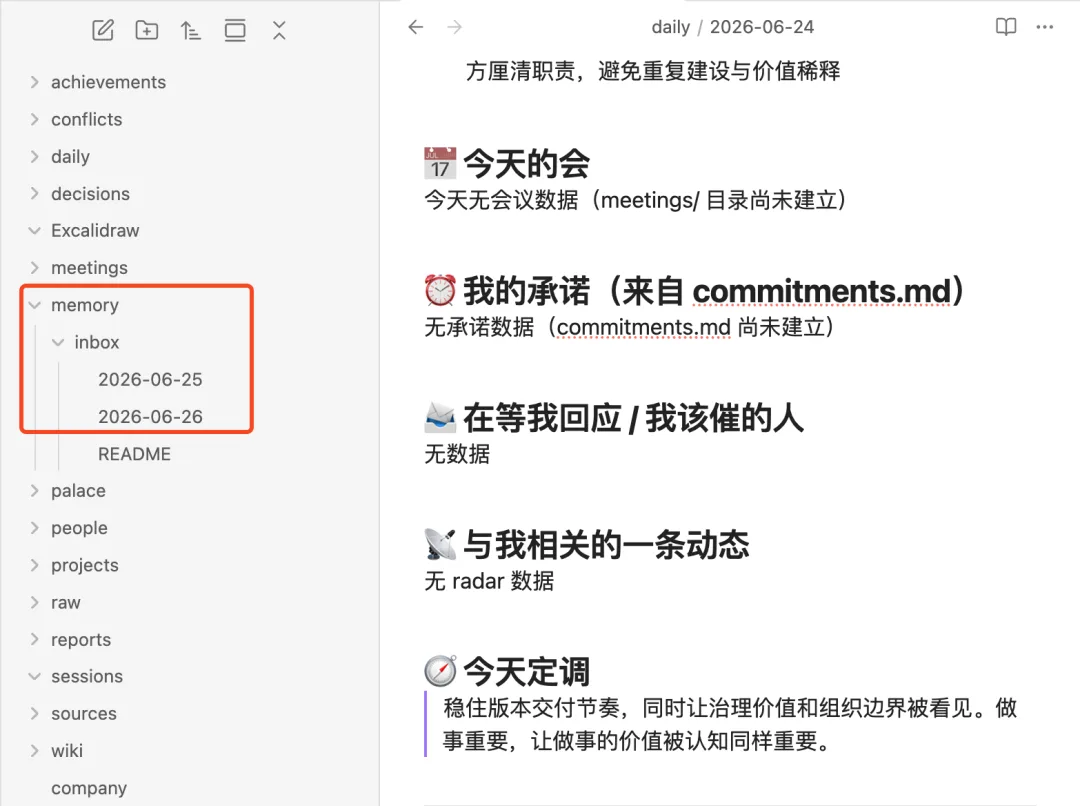
digest-noteruns, extracts key decisions, people involved, depositable content, writes tomemory/inbox/2026-06-27.md. - After a few days the inbox builds up. Run
/obsidian-review-inbox— it scans all inbox entries, deduplicates, generates a checklist: which items go to people, which to projects, which to discard, each with confidence scores and sources. - You review the checklist and confirm. Run
/obsidian-apply-memory. It shows the merge plan first — which files, what gets added, append vs. create new. It executes only after you approve. This is a confirmation gate, not a fire-and-forget. - Along the way you clicked 👎 a few times ("Agent inferred the client is price-sensitive" — they were just asking about流程). Run
/obsidian-update-profile— it digests feedback, extracts stable patterns like "be more conservative in market inferences," updatesprofile.mdandstyle.md. Every write prompts a confirmation card, item by item. - End of month — run
/obsidian-vault-doctor. It scans the whole Vault: 8 PDFs in raw/ never digested, Zhang San's page in people/ hasn't been updated in 3 months, 5 broken links. A health report with recommended next actions per issue type. - You notice you're always manually tracking "wife's birthday list." Run
/obsidian-create-skill, tell the Agent "I want a skill for organizing gift lists." It asks clarifying questions, produces a draft, you confirm — it lands at<Vault>/.claude/skills/gift-planner/SKILL.md. This Vault now has a custom skill that appears in the/menu like any built-in one.
The sixth skill is the product's core philosophy: the plugin only provides common infrastructure; contextual capabilities grow inside each user's Vault.
Three-Layer Architecture: raw / sources / Long-Term Memory
This design comes from Hermes's three-tier trust model. Not everything in your Vault is treated equally:
raw/                Raw evidence (PDF/Word/screenshots)   Never delete, structurally write-protected
sources/            Agent-generated shadow MD of originals  Regeneratable (raw is still there)
memory/inbox/       Pending review deposits              Free-form write
memory/feedback/    👍/👎 feedback                        Free-form write
people/             Person long-term memory               Write requires confirmation
projects/           Project long-term memory              Write requires confirmation
wiki/               Concept/knowledge deposits           Write requires confirmation
decisions/          Decision records                     Write requires confirmation
daily/              Daily notes                           Write requires confirmation
palace/             Task routing room cards              Write requires confirmation
profile.md          Who I am                             Write requires confirmation
vault.md            Vault purpose                        Write requires confirmation
style.md            My style                             Write requires confirmation
memory_policy.md    Deposit rules                        Write requires confirmation
Trust levels are clear. Raw evidence is absolutely trustworthy (and immutable), extractions are regeneratable, long-term memory requires human confirmation.
Memory Palace: Don't Store Knowledge, Store Routes
Most Agent memory systems solve "how to remember more" — stuff embeddings into a vector store, retrieve by similarity.
obsidian-cc takes a different path: Memory Palace. It doesn't store knowledge itself — it stores routes. When encountering a certain type of task, which files to read first, in what order, which are hard constraints, where to write output.
palace/
  README.md
  digest_note_room.md      ← the route for digesting notes
Each room card has exactly five sections:
## Trigger Scenario
## Must-Read (in order)
## Conditional Read
## Output Location
## Pitfalls / Forbidden Zones
For example, digest_note_room.md specifies: before digesting a note, you must read profile.md → vault.md → style.md → the current note. If people are mentioned, read people/<who>.md; if projects, read projects/<what>.md. Output can only go to memory/inbox/.
Why this design? Because "what to remember" and "how to use memory" are two different things. A student who memorized the entire textbook (vector retrieval) but doesn't know which problems to tackle first won't score well. Memory Palace teaches the Agent how to retrieve and use memory — not what to memorize.
Closing Thoughts
I've spent most of the last year building Hermes. From a 3000-line Rust skeleton, to a desktop app, to memory retrieval closed loops, to a skill marketplace. Every step was answering the same question: how do you make an Agent not just smart, but capable of memory, judgment, and growth?
obsidian-cc is the final answer to that question — I took it from the programming domain and applied it to personal knowledge management.
Obsidian is the world's most capable second-brain container. Local-first, bi-directional links, graph view, the most active plugin ecosystem. But it's always been missing a digestive system.
obsidian-cc is that digestive system.
This time, Hermes's proven engine, Memory Palace — the full local Agent growth engine — is now inside your Vault.
Once you use it, Obsidian finally lives up to its name as your true second brain. It digests, deposits, learns from your feedback, and grows custom skills inside your Vault.
Productivity maxed out — not because it responds fast. Because the 1800 dead data points in your 2000-note Vault are finally growing on their own.